Current blog data
The page title comes from blog.title. Article cards, the highlighted article, article
count, tag links, dates, authors, excerpts, and pagination all use Shopify blog and article objects.
The Blogs page documents the blog listing template. It shows the current Shopify blog title, article count, optional intro copy, a highlighted first article, article cards, tags, author and date metadata, excerpts, pagination, app blocks, and translated empty-state messages.
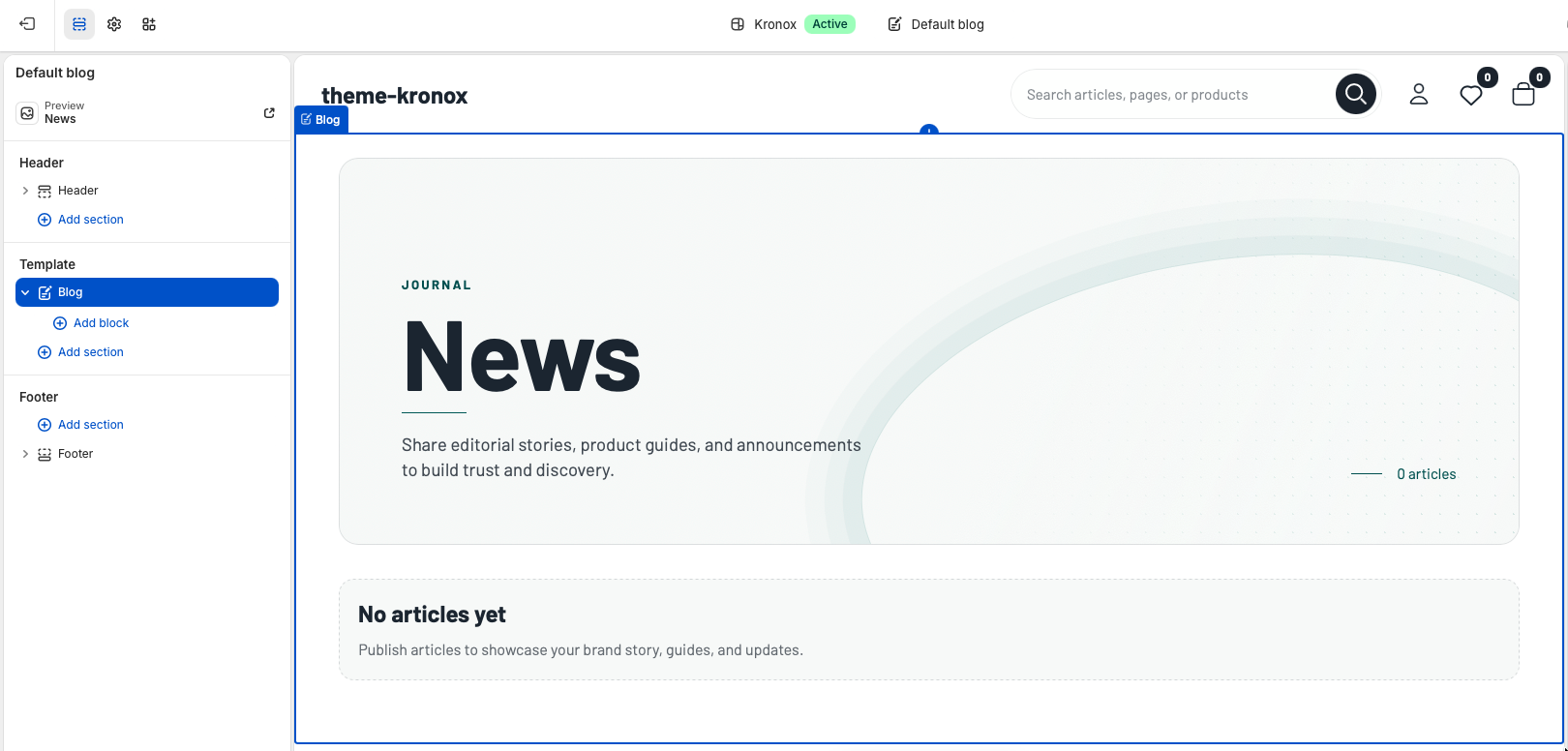
templates/blog.json contains a single
Blog section named main. The section uses the live blog object,
so merchants do not need to select a blog, article, image, or collection manually.
Template
The default blog template should remain focused on editorial browsing. Keep the Blog section at the top of the template because it contains the blog title, summary count, article list, and pagination. Additional reusable sections can be added below it when a merchant needs newsletter signup, featured collections, or promotional content after the article list.
The page title comes from blog.title. Article cards, the highlighted article, article
count, tag links, dates, authors, excerpts, and pagination all use Shopify blog and article objects.
Because the page is a JSON template, merchants can reorder or add supporting sections around the main Blog section without editing Liquid. The main section also supports app blocks.
Section settings
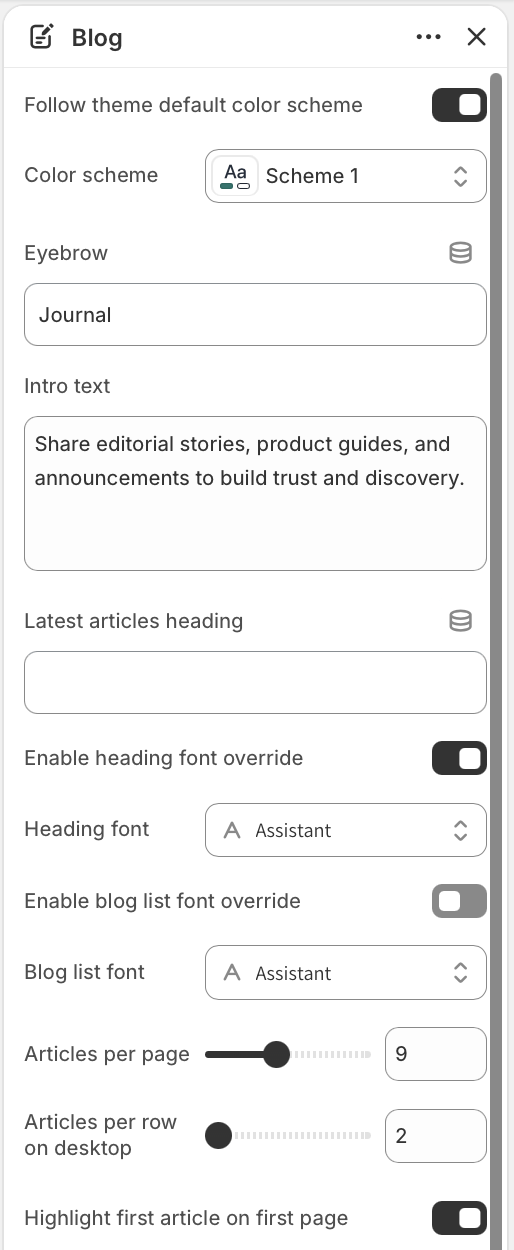
Blog section settings control the visual style, hero text, typography, article density, desktop grid columns, image crop, metadata, excerpts, CTA text, and empty-state copy. Leave optional text settings blank when the translated default labels should be used.
Keep Follow theme default color scheme enabled for a storewide look. Select a specific Color scheme only when the blog needs a dedicated editorial palette.
Eyebrow appears above the blog title, and Intro text appears below it. The title itself always uses the current Shopify blog title.
Use Enable heading font override for the hero and section headings. Use Enable blog list font override for featured cards, article cards, pagination, and empty states.
Editorial lead
Enable Highlight first article on first page to turn the newest article on page one into a large editorial card. The featured card uses the article image, title, excerpt, metadata, and CTA, then the remaining articles continue in the grid below.
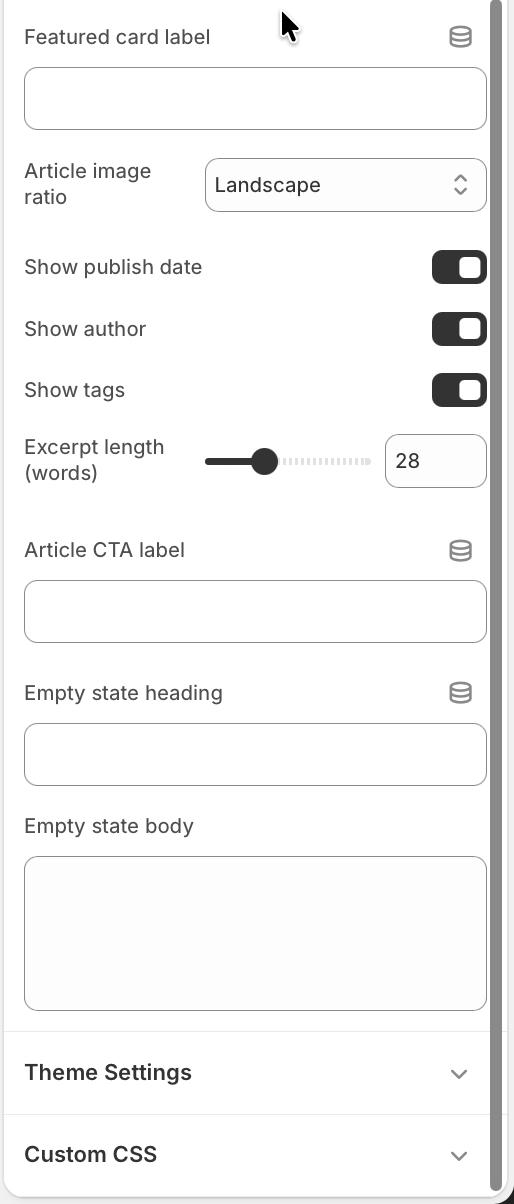
Featured card label customizes the small editorial label. When left blank, the section uses the translated featured article label from the theme locale files.
The highlighted card appears only on page one. Paginated pages show the standard article grid so customers can continue browsing without repeated lead content.
Article browsing
Article cards are designed for scanning. They include a linked image, title, optional date and author, optional tag links, excerpt, and a compact article CTA. The grid adapts from one column on small screens to a wider editorial layout on desktop.
Articles per page controls Shopify pagination from 4 to 16 articles. Use a lower value for image-heavy journals and a higher value for announcement-heavy blogs.
Articles per row on desktop controls the desktop grid from 2 to 4 columns. The section keeps mobile layouts readable and also adjusts image loading sizes to match the selected desktop density.
Article image ratio supports Adapt to image, Landscape, and Square. Landscape is the default and works well for most editorial thumbnails.
Use Show publish date, Show author, and Show tags to decide how much article context appears on listing cards. Tag links point to the current blog's tagged URL.
Excerpt length trims article excerpts or content from 12 to 60 words. Article CTA label overrides the translated read-article text when a merchant wants a custom call to action.
States and extensibility
If the blog has no articles, the section renders an empty state instead of an article grid. Merchants can customize Empty state heading and Empty state body, or leave them blank to use translated defaults.
When the blog has more articles than the configured page size, Shopify's default pagination appears below the grid with a localized navigation label.
The Blog section accepts app blocks. Use them for editorial integrations that belong inside the blog listing flow, such as review widgets, loyalty banners, or content tools.
Quality check